Secure Web Hosting: How to Protect Your Website with Strong Passwords and Updated Systems


Keep your website safe from hackers with simple yet powerful security habits
Web
Web
4 min
Learn how to protect your website from cyber threats by using strong passwords, updating your systems regularly, and choosing a secure web host. Whether you manage a business site, an online store, or a personal blog, these essential steps will help you maintain a safe and reliable online presence.
Camila Hall
Camila
Hall

Secure Web Hosting: How to Protect Your Website with Strong Passwords and Updated Systems

Keep your website safe from hackers with simple yet powerful security habits
Web
Web
4 min
Learn how to protect your website from cyber threats by using strong passwords, updating your systems regularly, and choosing a secure web host. Whether you manage a business site, an online store, or a personal blog, these essential steps will help you maintain a safe and reliable online presence.
Camila Hall
Camila
Hall

Your website is more than just an online presence—it’s often the heart of your business, brand, or personal project. That’s why protecting it from cyberattacks, data breaches, and downtime is essential. Many security incidents happen because of simple mistakes that could have been avoided with basic precautions. Two of the most effective ways to strengthen your website’s security are using strong passwords and keeping your systems up to date. Here’s how you can safeguard your site, whether you run a small business, an online store, or a personal blog.

Why Web Hosting Security Matters

When you choose a web hosting provider, you’re entrusting them with part of your website’s security. However, even the most secure hosting service can’t protect you if you don’t take responsibility for your own site. Cybercriminals often exploit weak passwords, outdated software, or unpatched vulnerabilities to gain access. A single security flaw can lead to stolen data, defaced pages, or even a complete site shutdown.

Secure web hosting is a shared responsibility: your hosting provider should offer a safe and stable environment, while you ensure your website is properly configured, maintained, and monitored.

Strong Passwords – Your First Line of Defense

Passwords are often the weakest link in online security. Many users still rely on simple passwords like “password123” or “qwerty,” which can be cracked in seconds. A strong password should be long, unique, and difficult to guess.

Here are some best practices:

  • Use at least 12 characters—combine uppercase and lowercase letters, numbers, and symbols.
  • Never reuse passwords—each account should have its own unique password.
  • Use a password manager—tools like 1Password, Bitwarden, or Dashlane can generate and store complex passwords securely.
  • Enable two-factor authentication (2FA)—this adds an extra layer of protection, requiring a second verification step even if your password is compromised.

If multiple people have access to your website, make sure everyone follows the same password policies. One weak login can put the entire site at risk.

Keep Systems and Plugins Updated

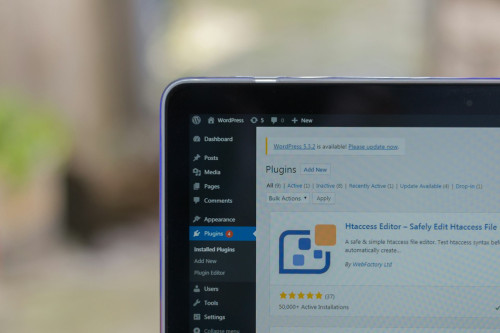
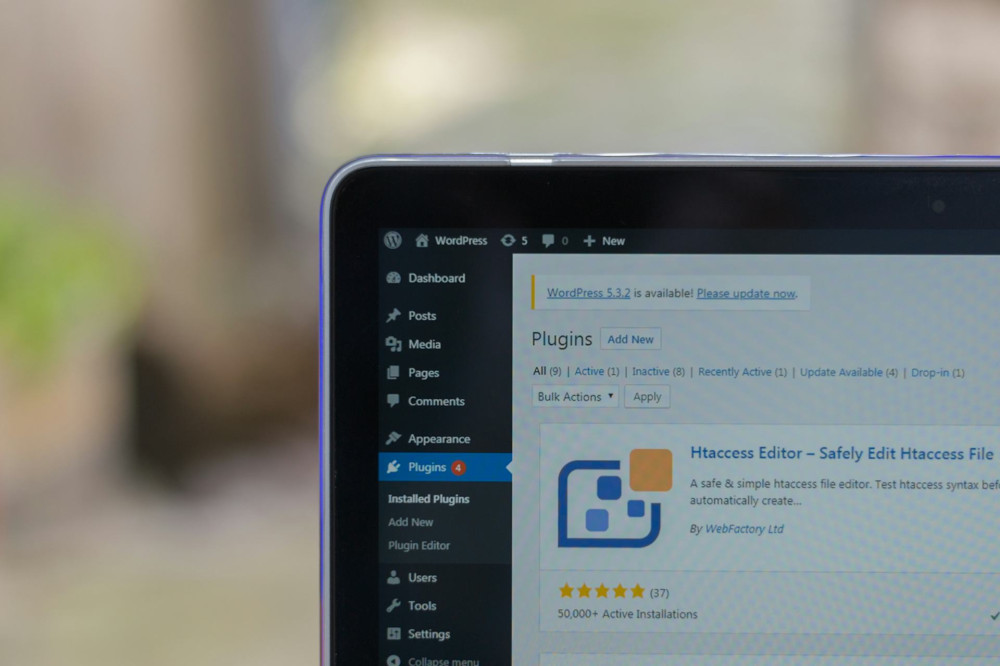
One of the most common ways hackers break into websites is through outdated software. Attackers constantly scan the internet for known vulnerabilities in popular content management systems (CMS) like WordPress, Joomla, and Drupal. When updates are released, they often include details about the security issues they fix—information that hackers can use to target unpatched sites.

To stay protected:

  • Update your CMS, themes, and plugins regularly.
  • Remove unused plugins and themes. Even inactive ones can contain vulnerabilities.
  • Enable automatic updates if your hosting provider supports them.
  • Test updates on a staging site before applying them to your live site to avoid downtime.

Keeping your system updated not only improves security but also enhances performance and stability.

Choose a Secure Web Host

Your hosting provider plays a major role in your website’s overall security. When selecting a host, look for features such as:

  • Automatic backups—so you can quickly restore your site if something goes wrong.
  • SSL certificates (HTTPS)—to encrypt data between your server and visitors.
  • Firewalls and malware scanning—to detect and block suspicious activity.
  • 24/7 support and monitoring—so you can get help whenever you need it.

While it may be tempting to choose the cheapest hosting plan, investing in a secure and reliable provider can save you time, money, and stress in the long run.

Monitoring and Backups – Your Safety Net

Even with strong security measures, no system is completely immune to attacks or technical failures. That’s why it’s crucial to have a backup and recovery plan.

  • Perform regular backups of both your files and databases, and store them securely offsite.
  • Monitor your website traffic—sudden spikes or unusual patterns can indicate an attack.
  • Use security plugins or tools—for example, Wordfence or Sucuri for WordPress can help detect and block threats.
  • Create a recovery plan—know exactly what steps to take if your site is compromised.

A quick and organized response can make the difference between a minor issue and a major data breach.

Security Is an Ongoing Process

Website security isn’t something you can set up once and forget. Cyber threats evolve constantly, and your defenses need to evolve with them. Make it a habit to review your site’s security regularly, check user accounts, apply updates, and test your backups.

By combining strong passwords, updated systems, and a trustworthy hosting provider, you can significantly reduce your risk of attack and ensure your website remains safe, reliable, and accessible to your visitors.

6 mistakes to avoid in your IT career: advice for success
Gain insight into which traps many IT professionals fall into and how you can avoid them. This e-book offers tips for career development, networking and skill building so you can advance your career in the IT industry.
Download e-book
Preserve Your SEO Impact: How to Maintain and Strengthen Your Results Over Time
Keep your hard-earned rankings strong with smart, ongoing SEO strategies
Web
Web
SEO
Digital Marketing
Content Strategy
Search Rankings
Online Visibility
7 min
SEO success doesn’t end once you reach the top of the search results. Learn how to maintain and strengthen your visibility over time by monitoring performance, updating content, and adapting to algorithm changes.
Serenity Diaz
Serenity
Diaz
Share Access Safely: How to Manage User Accounts on Shared Websites
Keep your team’s website secure and organized with smart account management
Web
Web
Cybersecurity
User Management
Website Administration
Online Collaboration
Digital Safety
5 min
Learn how to manage user accounts safely on shared websites. This guide explains how to avoid shared logins, set proper permissions, and maintain strong security practices so your team can collaborate efficiently without compromising safety.
Sophia Moore
Sophia
Moore
Hook Your Reader from the Start: Use Headlines and Introductions Strategically
Master the art of grabbing attention with headlines and openings that make readers stay
Web
Web
Writing
Content Strategy
Copywriting
Audience Engagement
Digital Marketing
6 min
Learn how to craft headlines and introductions that instantly capture your audience’s interest. Discover practical strategies to make your content stand out, engage readers from the first line, and keep them reading until the end.
Ryan Phillips
Ryan
Phillips
Test Your Website’s Navigation – and Give Users a Better Experience
Make your website easier to navigate and more enjoyable for every visitor
Web
Web
Web Design
User Experience
Website Optimization
Usability Testing
Accessibility
2 min
Clear, intuitive navigation is key to a great user experience. Learn how to test your website’s menus, links, and structure to uncover issues, improve usability, and keep visitors engaged.
Ember Taylor
Ember
Taylor
Secure Web Hosting: How to Protect Your Website with Strong Passwords and Updated Systems
Keep your website safe from hackers with simple yet powerful security habits
Web
Web
Web Security
Website Protection
Cybersecurity
Web Hosting
Online Safety
4 min
Learn how to protect your website from cyber threats by using strong passwords, updating your systems regularly, and choosing a secure web host. Whether you manage a business site, an online store, or a personal blog, these essential steps will help you maintain a safe and reliable online presence.
Camila Hall
Camila
Hall
Segmentation Made Simple: Discover Differences and Patterns in Your Data
Turn complex data into clear insights with simple segmentation techniques
Tech
Tech
Data Analysis
Segmentation
Business Insights
Data Visualization
Marketing Analytics
3 min
Learn how to divide your data into meaningful groups to uncover patterns, differences, and trends. This guide shows you how to get started with segmentation using practical steps and accessible tools—no advanced technical skills required.
Serenity Diaz
Serenity
Diaz
Relax in VR: Virtual Reality as Mental Unwinding
Discover how virtual reality is transforming relaxation and mental wellness
Tech
Tech
Virtual Reality
Mental Health
Mindfulness
Technology
Wellness
5 min
Step into a new dimension of calm. Explore how virtual reality is being used beyond gaming to promote mindfulness, reduce stress, and support emotional balance. Learn how VR experiences can help you unwind and recharge in a digital world.
Sophia Moore
Sophia
Moore
Future technology should feel natural – here’s how to make it happen in practice
How human-centered design can make advanced technology feel effortless and intuitive
Tech
Tech
Future Technology
Human-Centered Design
Artificial Intelligence
Digital Well-Being
Innovation
6 min
As technology becomes more integrated into our lives, the challenge is to make it feel natural rather than overwhelming. This article explores how designers, developers, and innovators can create future technologies that adapt to people—blending seamlessly into daily routines while supporting well-being and ethical use.
Ryan Phillips
Ryan
Phillips
Health Data in Your Hands: How IoT Gives You Insight into Your Body
Discover how connected devices turn everyday data into powerful insights about your health
Tech
Tech
Internet of Things
Health Technology
Wearables
Data Privacy
Personal Health
3 min
From fitness trackers to smart scales, the Internet of Things is transforming how we understand our bodies. Learn how these technologies collect, analyze, and share health data—helping you make informed choices, stay motivated, and take control of your well-being.
Ember Taylor
Ember
Taylor