Get More Stable Gaming with a Cable: Why Wired Is Better Than Wi-Fi

Level up your gaming performance with a faster, more reliable wired connection
Broadband
Broadband
3 min
Tired of lag ruining your online matches? Discover why switching from Wi-Fi to a wired connection can make all the difference for smoother, more stable gameplay. Learn how a simple cable can boost your speed, reduce latency, and give you the edge in every game.
Sophia Moore
Sophia
Moore

Get More Stable Gaming with a Cable: Why Wired Is Better Than Wi-Fi

Level up your gaming performance with a faster, more reliable wired connection
Broadband
Broadband
3 min
Tired of lag ruining your online matches? Discover why switching from Wi-Fi to a wired connection can make all the difference for smoother, more stable gameplay. Learn how a simple cable can boost your speed, reduce latency, and give you the edge in every game.
Sophia Moore
Sophia
Moore

When you’re gaming online, every millisecond counts. A single moment of lag can mean the difference between victory and defeat — and your internet connection plays a huge role in that outcome. While Wi-Fi is convenient, especially for devices scattered around the house, a wired connection still delivers the most stable and reliable performance. Here’s why plugging in your console or PC can take your gaming to the next level.

Why Stability Matters in Gaming

Online games rely on constant, real-time communication between your device and the game’s servers. Even tiny fluctuations in your connection can cause delays — what gamers call lag. In fast-paced shooters, sports games, or competitive online matches, a few milliseconds of delay can throw off your timing and cost you the win.

A wired connection provides a steady, predictable data flow because it isn’t affected by interference from walls, other devices, or neighboring networks. That means fewer dropouts, lower ping, and smoother gameplay overall.

What You Get with a Wired Connection

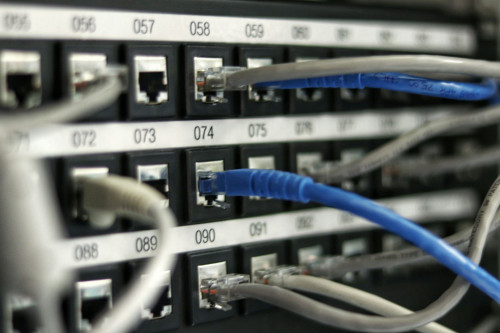
Connecting your gaming PC or console directly to your router with an Ethernet cable offers several key advantages:

  • Lower ping and latency – Data travels faster and more consistently, giving you quicker reactions in-game.
  • No wireless interference – Your connection won’t be disrupted by microwaves, Bluetooth devices, or your neighbor’s Wi-Fi.
  • Consistent speeds – You get the full bandwidth your internet provider delivers, without the ups and downs of wireless.
  • Fewer disconnects – Your connection stays solid even when others in the house are streaming or downloading.

For competitive gamers or anyone who plays online with friends, the difference is immediately noticeable.

Wi-Fi Has Its Perks — But Also Its Limits

Wi-Fi is great for convenience, especially if you’re gaming on a laptop, tablet, or console in the living room. The latest standards, like Wi-Fi 6 and Wi-Fi 6E, have made wireless connections faster and more reliable than ever. Still, even the best Wi-Fi can’t quite match the stability and low latency of a wired setup.

Wireless signals can weaken as they pass through walls or furniture, and the farther you are from the router, the more performance drops. Plus, every device in your home shares the same wireless bandwidth — so if someone’s streaming 4K movies or downloading large files, your game might start to stutter.

How to Get the Most Out of Your Wired Setup

If you’re ready to optimize your gaming connection, here are a few simple steps:

  1. Use a quality cable – Go for a Cat 6 or Cat 7 Ethernet cable to ensure high speed and minimal interference.
  2. Connect directly to the router – Avoid unnecessary adapters or extenders if possible.
  3. Keep your router updated – Firmware updates can improve performance and stability.
  4. Prioritize gaming traffic – Many modern routers include a “gaming mode” or QoS (Quality of Service) feature that gives your games top priority.
  5. Check your cables – Avoid sharp bends or damaged connectors that can degrade the signal.

Even if you live in a larger home, you can run cables neatly along baseboards or under rugs — a small effort for a big improvement in performance.

When Running a Cable Isn’t an Option

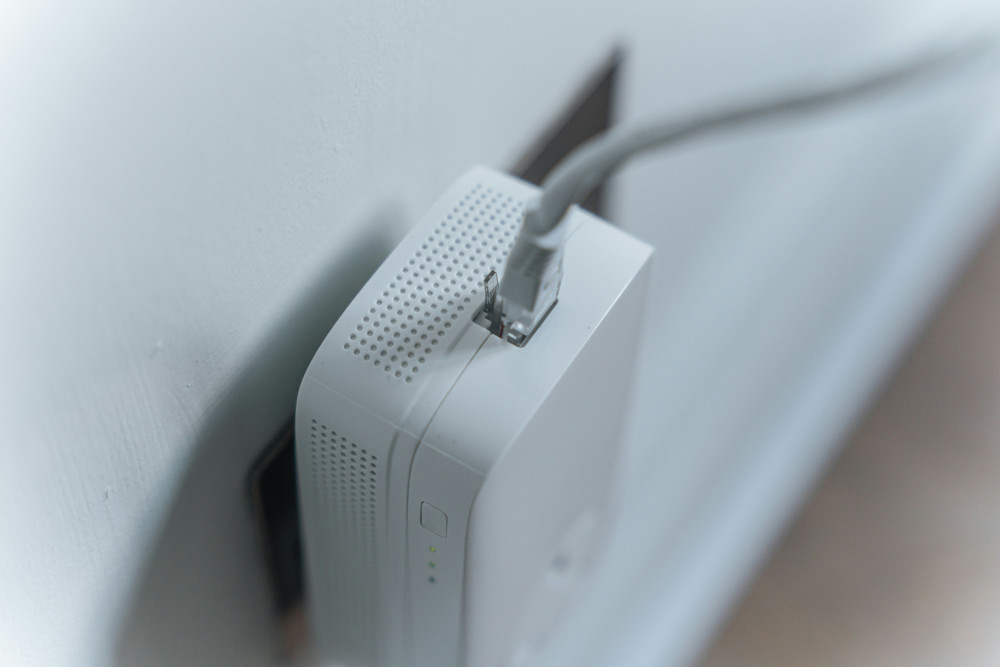
If you can’t connect directly, consider alternatives like powerline adapters, which send your internet signal through your home’s electrical wiring, or mesh Wi-Fi systems, which extend coverage across multiple rooms. These can improve your connection compared to standard Wi-Fi, but they still won’t match the consistency of a direct cable.

The Best Choice for Serious Gamers

For everyday browsing, streaming, and social media, Wi-Fi is usually good enough. But for gamers who want maximum precision and reliability, wired is still king. There’s peace of mind in knowing your connection won’t drop mid-match — and that you’re getting every bit of performance your internet can deliver.

A cable might seem like a small detail, but in the world of gaming, it’s the small details that make all the difference.

6 mistakes to avoid in your IT career: advice for success
Gain insight into which traps many IT professionals fall into and how you can avoid them. This e-book offers tips for career development, networking and skill building so you can advance your career in the IT industry.
Download e-book
Keep Your Internet in Top Shape: How to Properly Update Your Equipment
Keep your connection fast and reliable with a few simple equipment updates
Broadband
Broadband
Internet
Wi-Fi
Technology
Home Network
Connectivity
7 min
Slow internet isn’t always your provider’s fault—sometimes your own devices need a refresh. Learn how to update your router, modem, and cables to boost speed, stability, and security for all your online activities.
Serenity Diaz
Serenity
Diaz
Get More Stable Gaming with a Cable: Why Wired Is Better Than Wi-Fi
Level up your gaming performance with a faster, more reliable wired connection
Broadband
Broadband
Gaming
Internet Connection
Wired Network
Online Performance
Tech Tips
3 min
Tired of lag ruining your online matches? Discover why switching from Wi-Fi to a wired connection can make all the difference for smoother, more stable gameplay. Learn how a simple cable can boost your speed, reduce latency, and give you the edge in every game.
Sophia Moore
Sophia
Moore
Avoid Crowded Wi‑Fi Channels – Choose the Right Frequency
Boost your Wi‑Fi performance by selecting the optimal channel and frequency band
Broadband
Broadband
Wi‑Fi
Internet
Home Network
Technology
Connectivity
7 min
Struggling with slow or unstable Wi‑Fi? Learn how crowded channels can affect your connection and discover simple ways to choose the right frequency for faster, more reliable internet at home.
Ryan Phillips
Ryan
Phillips
Smart Devices Without Network Chaos: How to Avoid and Distribute the Load in Your Home Network
Keep your smart home running smoothly with a balanced and reliable Wi-Fi setup
Broadband
Broadband
Smart Home
Wi-Fi
Home Network
Technology
Internet Connectivity
3 min
As smart devices multiply in modern homes, network congestion can quickly become a daily frustration. Learn how to manage bandwidth, separate network zones, and optimize your router to ensure every connected gadget performs at its best.
Ember Taylor
Ember
Taylor
Why Is Your Wi‑Fi Slowing Down? Here Are the Main Reasons
Discover what’s really behind your slow Wi‑Fi and how to speed it up
Broadband
Broadband
Wi‑Fi
Internet Speed
Home Network
Technology
Troubleshooting
3 min
Is your internet connection crawling when you need it most? From overloaded networks to outdated routers and poor placement, several factors can drag down your Wi‑Fi performance. Learn the main reasons for slow speeds—and how to get your connection back on track.
Camila Hall
Camila
Hall
Segmentation Made Simple: Discover Differences and Patterns in Your Data
Turn complex data into clear insights with simple segmentation techniques
Tech
Tech
Data Analysis
Segmentation
Business Insights
Data Visualization
Marketing Analytics
3 min
Learn how to divide your data into meaningful groups to uncover patterns, differences, and trends. This guide shows you how to get started with segmentation using practical steps and accessible tools—no advanced technical skills required.
Serenity Diaz
Serenity
Diaz
Relax in VR: Virtual Reality as Mental Unwinding
Discover how virtual reality is transforming relaxation and mental wellness
Tech
Tech
Virtual Reality
Mental Health
Mindfulness
Technology
Wellness
5 min
Step into a new dimension of calm. Explore how virtual reality is being used beyond gaming to promote mindfulness, reduce stress, and support emotional balance. Learn how VR experiences can help you unwind and recharge in a digital world.
Sophia Moore
Sophia
Moore
Future technology should feel natural – here’s how to make it happen in practice
How human-centered design can make advanced technology feel effortless and intuitive
Tech
Tech
Future Technology
Human-Centered Design
Artificial Intelligence
Digital Well-Being
Innovation
6 min
As technology becomes more integrated into our lives, the challenge is to make it feel natural rather than overwhelming. This article explores how designers, developers, and innovators can create future technologies that adapt to people—blending seamlessly into daily routines while supporting well-being and ethical use.
Ryan Phillips
Ryan
Phillips
Health Data in Your Hands: How IoT Gives You Insight into Your Body
Discover how connected devices turn everyday data into powerful insights about your health
Tech
Tech
Internet of Things
Health Technology
Wearables
Data Privacy
Personal Health
3 min
From fitness trackers to smart scales, the Internet of Things is transforming how we understand our bodies. Learn how these technologies collect, analyze, and share health data—helping you make informed choices, stay motivated, and take control of your well-being.
Ember Taylor
Ember
Taylor